 Zhcloudlink
Home / Solutions / AI Smart Campus Solution
Solutions
AI Smart Campus Solution
The Zhcloudlink AI smart campus solution covers frictionless gate passage, dormitory time-window control, visitor booking, perimeter protection, smoke and fire alerts, and student behavior analysis, together with a campus management platform and edge computing boxes.
SOLUTIONS / Smart Campus
Zhcloudlink (Shenzhen) Technology Co., Ltd. uses edge AI plus a cloud platform to put gate passage, dormitory control, visitor booking, and campus safety alerts in one system. Schools, parents, and homeroom teachers can see arrivals, departures, and abnormal events according to their permissions.
Background
Policy requirements
- The Ministry of Education sets requirements for preventing campus violence and student bullying.
- Each class holds at least 2 bullying-prevention homeroom sessions per semester, so students learn how to prevent bullying and what to do.
- Video surveillance needs full coverage of concealed places such as stairwells, rooftops, and storage rooms.
Why it is being built
Campus safety affects the lives and health of students and teachers, and the peace of their families. Arrival and departure, harm at the gate, stairway crowding, campus bullying, and harassment by people from outside are the issues schools and parents care about most.
The solution uses AI recognition, passage control, and alert push so the school, parents, and the relevant departments can see the situation in time and respond to an emergency.
Campus entrance and exit control
Passage without a stop
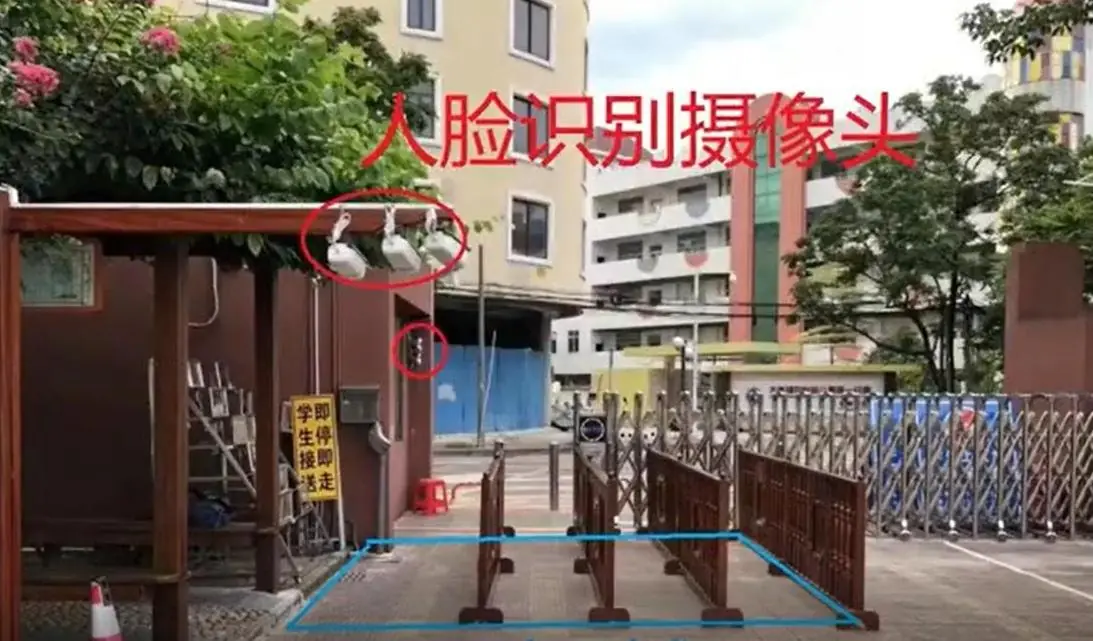
The gate AI camera captures a student's face and matches it. After a parent follows the school WeChat official account and binds a mobile number, they receive the child's arrival and departure times. That makes pickup easier and reduces time spent lingering outside the school.
The system counts people in and out, analyzes "expected but not arrived" and "expected to leave but still inside," and pushes the result to the homeroom teacher. Captures from campus AI cameras become records that can be queried by time, point, and person.
Keep people from outside out
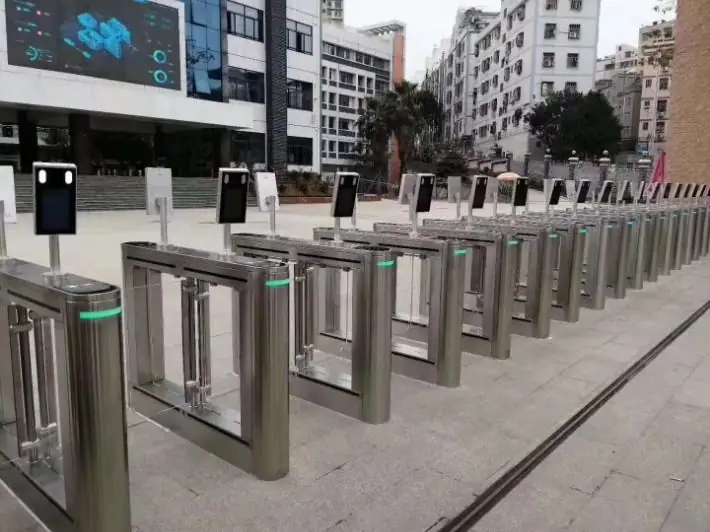
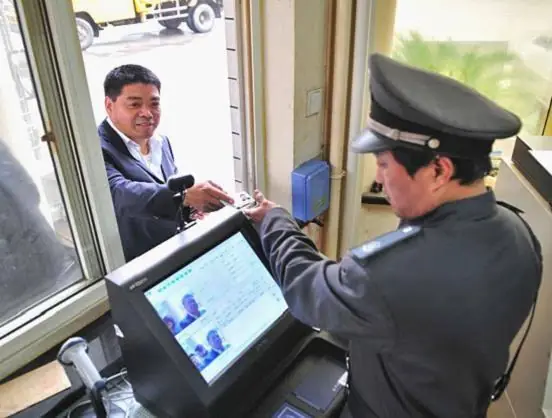
The face turnstile opens after a student or teacher match succeeds. People from outside cannot walk straight in. They must register first and can pass only after verification.
Turnstiles are laid out in multiple lanes for peak flow, so the gate does not jam. The passage terminal can connect to the E8a face-recognition access control.
Dormitory management
The dormitory area uses face-recognition turnstiles that open by time window. For example, passage is allowed from 7:00 to 9:00 in the morning, 12:00 to 14:00 at noon, and 16:00 to 22:00 in the afternoon and evening. The gates stay closed at other times.
- Expected to leave but still inside: still in the residential area after 9:00 in the morning. Push to the homeroom teacher and the dormitory supervisor.
- Not in the dormitory area by 12:00 noon, or still in the dormitory area at 14:00 in the afternoon. Push to the homeroom teacher and the dormitory supervisor.
- Expected to return but not back: not inside the dormitory area by 21:00. Push to the homeroom teacher, the dormitory supervisor, and the parent.
Visitor management
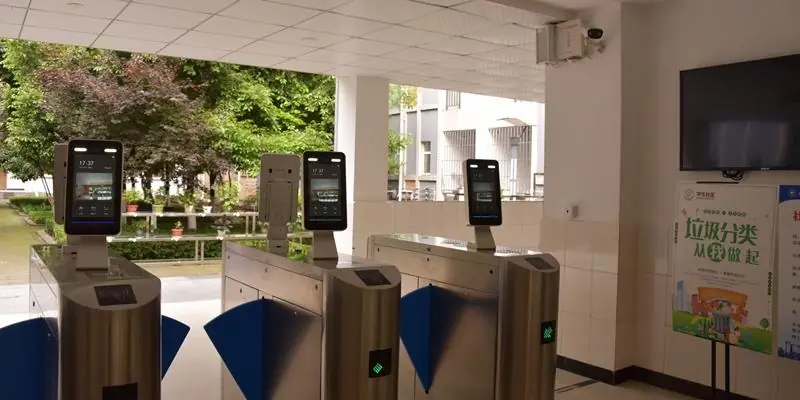
The visitor scans the school QR code, books and registers, fills in the teacher they are visiting, and submits it for review. After approval, they can enter by face or by code.
Campus safety management
AI perimeter protection
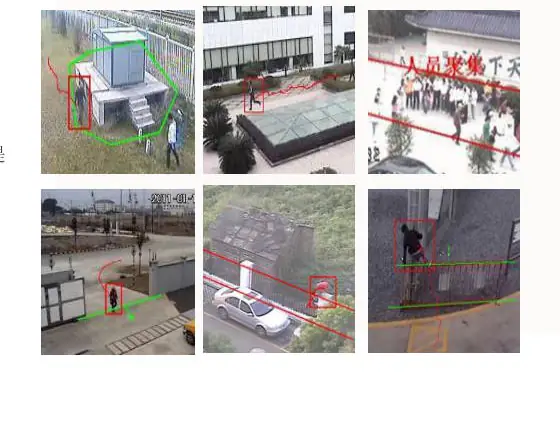
AI cameras recognize intrusion and climbing around the campus. When someone enters the perimeter zone, the site announces, "You have entered a campus safety zone. Please leave immediately," and the capture is uploaded to the platform.
Search by image and track lookup
Search by image
Upload one face image and search the face-capture library from the campus AI cameras. The search lists the 6 most similar face groups.
Track lookup
Open a face to see records from the last few days, including the capture-camera point and the capture time, strung into a movement track.
Smoke and fire alerts
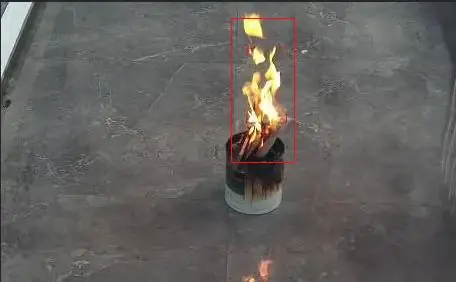
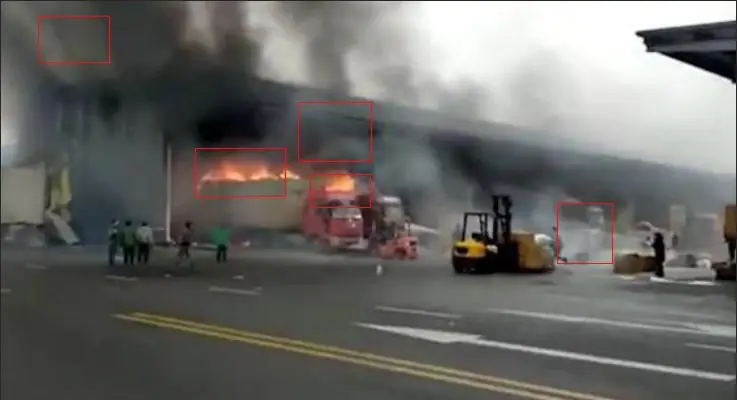
AI algorithms detect smoke and flame. After a capture, the alarm is linked and pushed to school security, grid staff, and the fire service.
Student behavior analysis
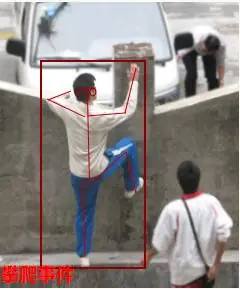
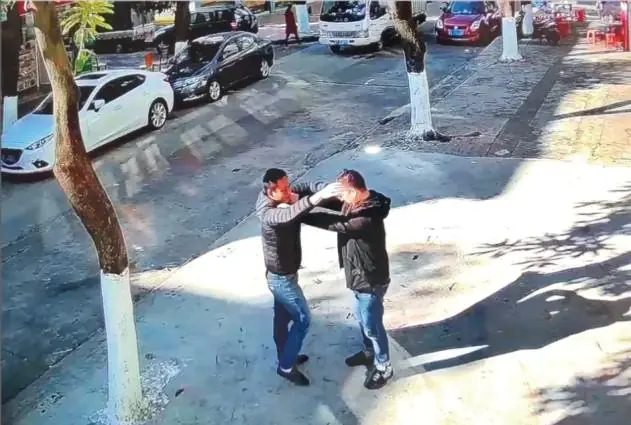
Fighting, climbing, and similar behavior get a real-time warning and a voice warning. The edge box completes person matching, object tracking, and track recording, and pushes the warning out.
- Jump detection
- Running recognition
- Fall recognition
- Climbing recognition
- Fighting recognition
- Smoke and fire detection
- Smoking recognition
- Phone recognition
- Line-crossing detection
- Area detection
Management platform
Four-level permissions
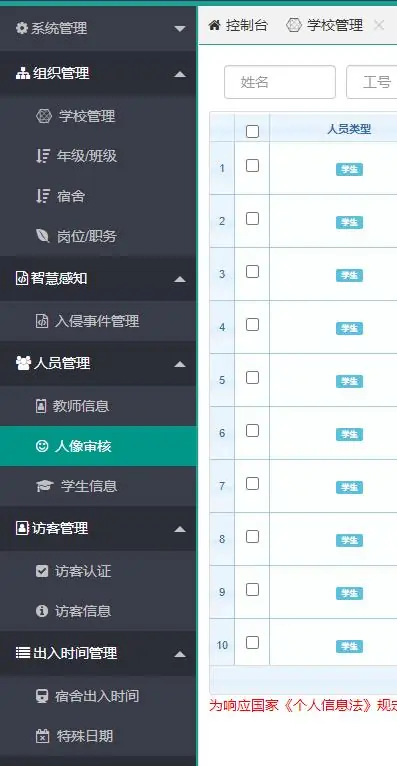
Platform accounts are split into four levels: education bureau, school, class, and dormitory. Different accounts see different functions and data.
Local deployment
The platform can be deployed on the school premises. Organization, dormitories, portrait review, visitor verification, and entry and exit times are managed in the same back office.
AI cameras and edge computing boxes
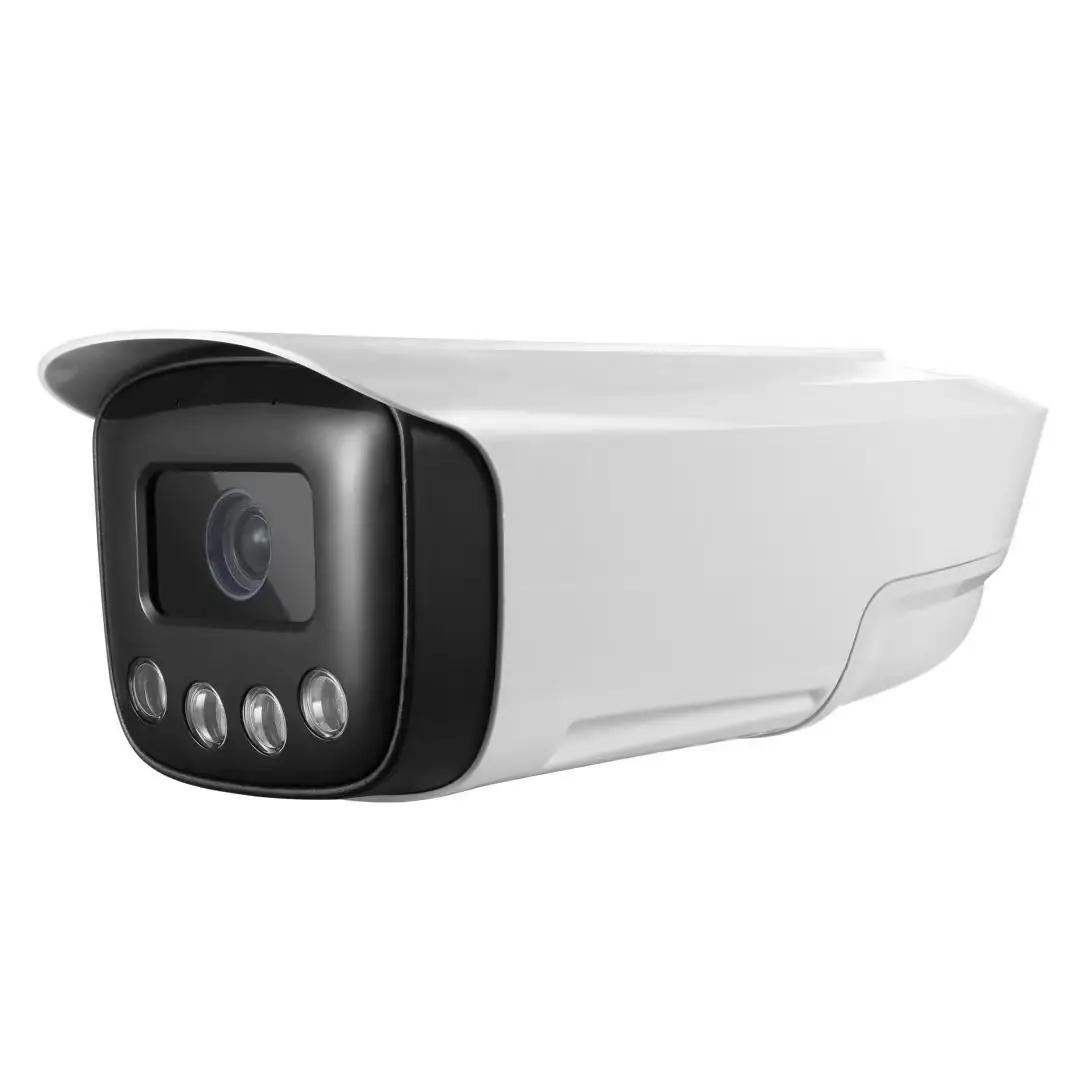
AI camera
- It can detect and capture multiple faces at the same time, and analyze smoke and fire, line crossing, area intrusion, and similar events.
- 4 MP, 1/3-inch starlight CMOS, 2.8–12 mm zoom lens.
- Infrared fill light to 40 m, white light to 10 m, day/night mode.
- Built-in microphone and speaker, two-way voice intercom.
- Motion detection, tamper alarm, and linkage for capture, voice warning, smoke and fire, and line-crossing intrusion.
- 1 alarm input/output, 1 audio input/output.
- Protocols: ONVIF, GA/T 1400, GB28181, HTTP, MQTT.
- Operating environment -20°C to 60°C, humidity 0%–99% RH, ingress protection IP66.
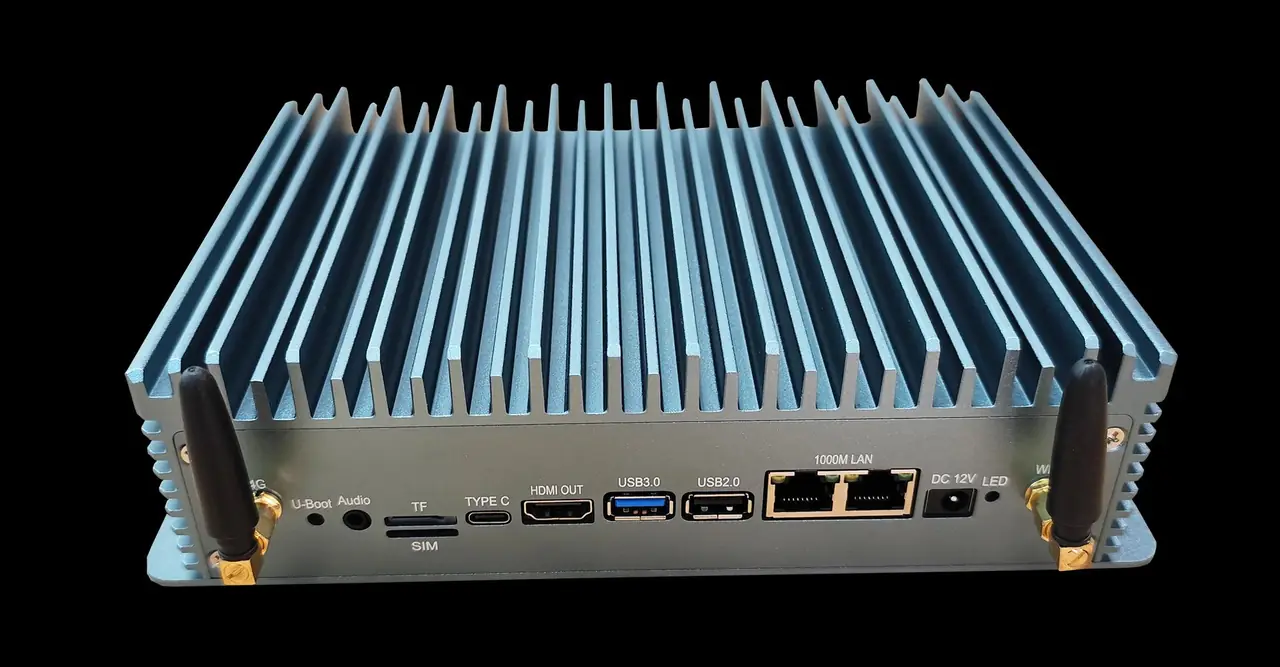
Edge computing box
The solution uses the RK3588 platform, octa-core up to 2.4GHz, NPU 6 Tops. This configuration is the same hardware platform as AIBox03. It supports 16 camera inputs, and existing cameras can be reused.
Algorithms cover face, human body, counting, intrusion, boundary, smoke and fire, and electric bikes, plus behavior analysis such as climbing, gathering, and fighting.
| System | ARM Linux (Ubuntu 20.2, Debian 10) |
|---|---|
| CPU | RK3588, octa-core, clock up to 2.4GHz |
| GPU | Mali-G610 MC4 |
| NPU | 6 Tops of AI compute, triple-core architecture |
| Memory | 8GB LPDDR4 standard, 16GB / 32GB optional |
| Storage | 32GB standard, up to 128GB |
| Display | 1 HDMI 2.1, up to 8K output |
| USB | 4 USB 2.0, 2 USB 3.0, 1 USB OTG |
| Serial | 2 RS232 (RS485 optional) |
| Network | 2 RJ45 + Wi-Fi, optional all-carrier 4G; Wi-Fi 6 dual-band, Bluetooth 5.0 |
| TF card | Up to 128GB |
Questions
How do parents know when a child arrives at school and leaves?
Parents follow the school WeChat official account and bind a mobile number. After the gate AI camera captures a face and the match succeeds, it pushes the arrival and departure times to the matching parent, which makes pickup easier.
Can people from outside the school walk straight in?
No. The turnstile opens only after a student or teacher face match succeeds. People from outside must register first and can enter only after verification. Turnstiles are laid out in multiple lanes so the peak does not jam.
How is the dormitory controlled by time?
Dormitory turnstiles can be set to open only in time windows, for example 7:00 to 9:00 in the morning, 12:00 to 14:00 at noon, and 16:00 to 22:00 in the afternoon and evening. They stay closed outside those windows. If a student has not left after 9:00 in the morning, or has not returned by 21:00, the event is pushed to the homeroom teacher and the dormitory supervisor. A missed return is also pushed to the parent.
How does a visitor enter the campus?
The visitor scans the school QR code, fills in the teacher they are visiting, and submits it for review. After approval, they can enter by face or by code.
How do perimeter and smoke-and-fire alerts work?
When someone enters the perimeter, the camera announces, "You have entered a campus safety zone. Please leave immediately," and uploads the capture to the platform. After smoke or flame is recognized, the alert is pushed to school security, grid staff, and the fire service.
What does student behavior analysis include?
It includes jumping, running, falls, climbing, fighting, smoke and fire, smoking, phones, line crossing, and area detection. Fighting, climbing, and similar behavior trigger a real-time warning and a voice warning. The edge box also does person matching, tracking, and track recording.
How does the management platform split permissions?
The platform has four account levels: education bureau, school, class, and dormitory. Each account uses a different set of functions. The platform can be deployed on the school premises.
How many cameras can one edge box connect?
The edge box in this solution is RK3588, octa-core up to 2.4GHz, with 6 Tops of compute, and it supports 16 camera inputs. Existing cameras can be reused. This platform is the same as AIBox03.