 Zhcloudlink
Home / Technology / AI Video Analytics Edge Box — Operating Guide
Technology
AI Video Analytics Edge Box — Operating Guide
How to power on the AI video analytics edge box, put it on the LAN, add cameras, configure algorithms and analysis tasks, and review alarms.
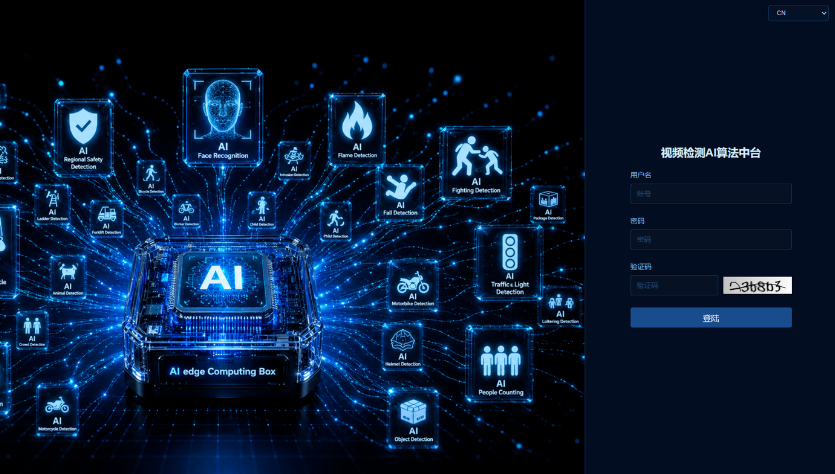
1. Installation and networking
Power on the AI box (the adapter is in the package) and connect the network cable. The computer you use for setup and the AI box must be on the same LAN.
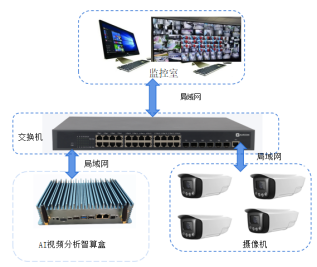
Ways to connect the AI box:
1. The AI box reaches each camera over the LAN.
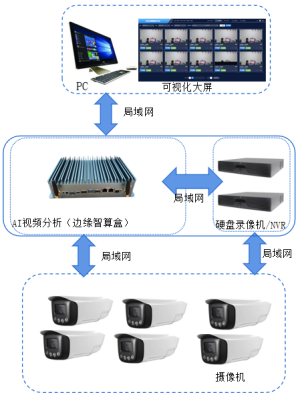
2. The AI box reaches the cameras through a network video recorder.
Then install the ODM tool on the setup computer (Download ODM)
Use the ODM tool to find the AI box:
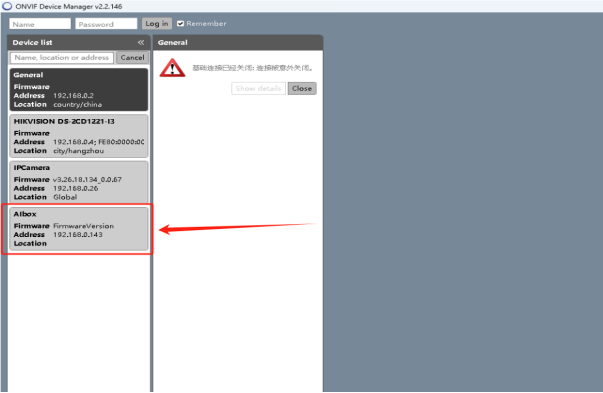
The device named AIbox is the AI box. The IP address shown under it is the address of the AI box.
2. Configuration
On any PC on the LAN, open the IP found by ODM in Google Chrome. In the figure that address is http://192.168.1.143:19000/ (include the port).

Default username and password: user/123456
1. Add a camera
After signing in, click Camera Management (“相机管理”) in the top menu.
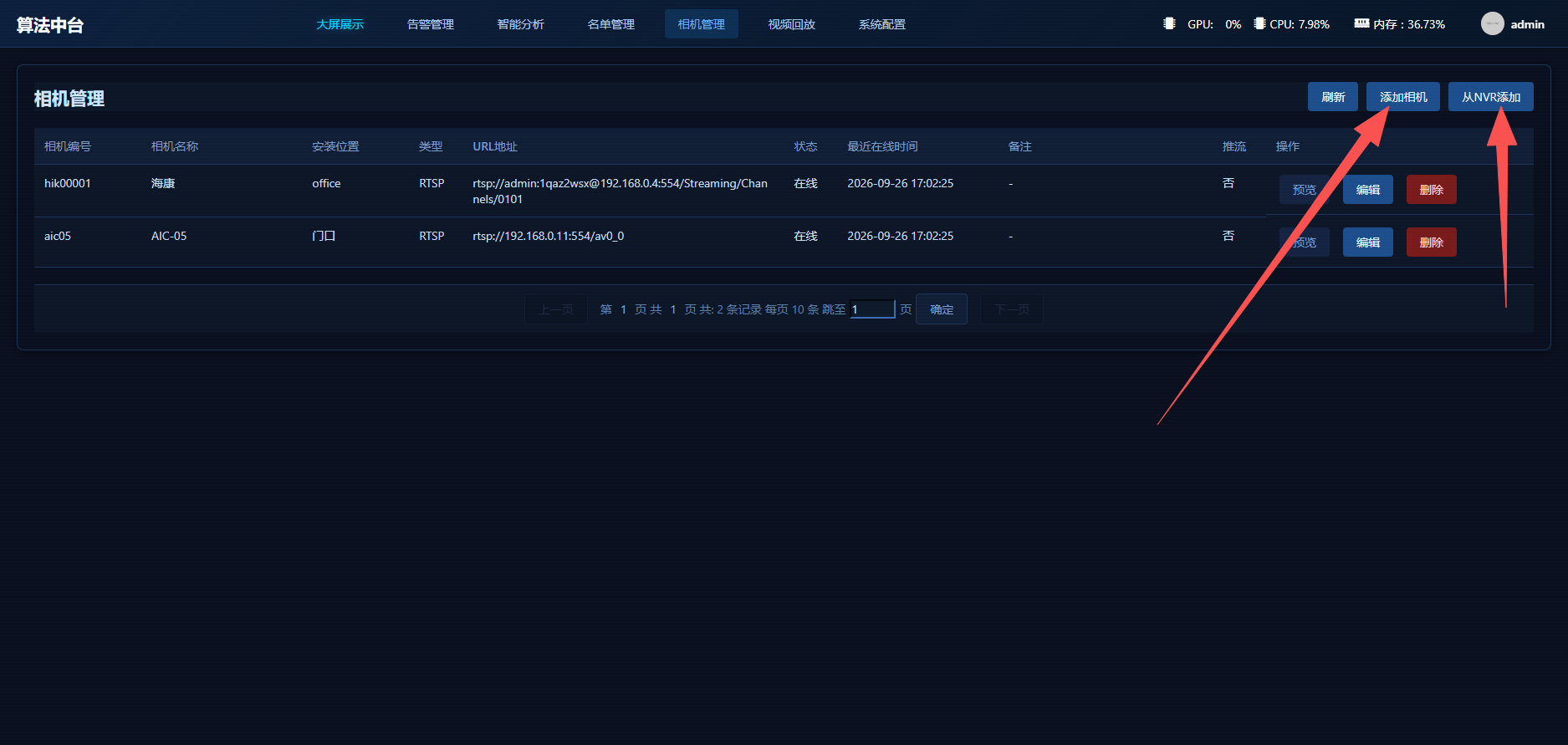
Then click Add Camera (“添加相机”) at the upper right. If an NVR is present, cameras can be added from the NVR.
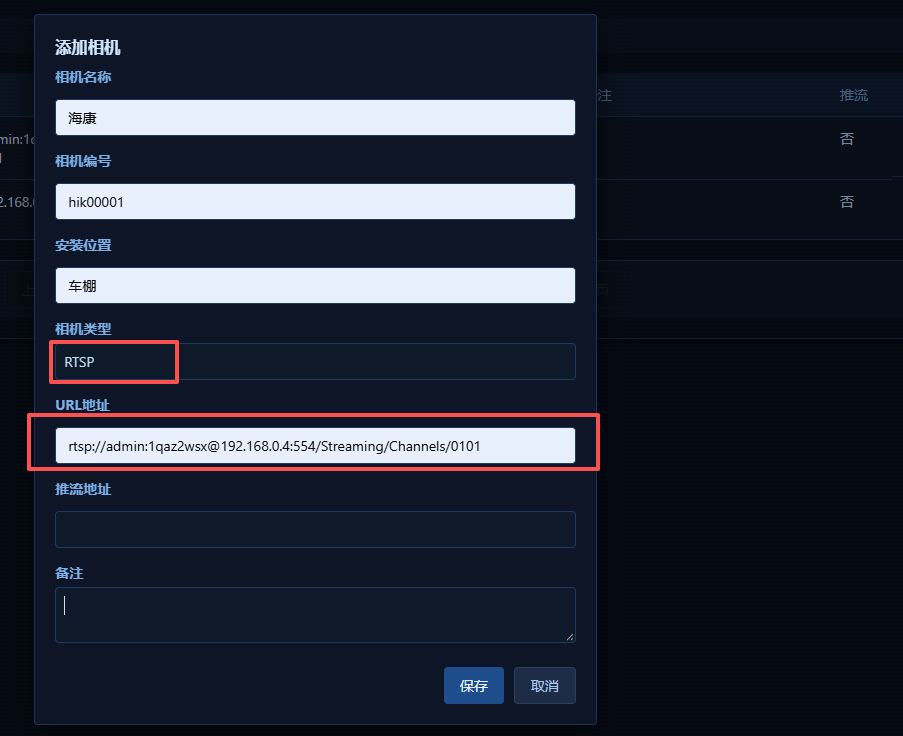
Adding a camera takes an RTSP stream. The RTSP address usually includes the password. The figure shows the Hikvision form. Other camera vendors use different URL forms; ask the camera vendor for the correct one.
2. Configure a task
Click Smart Analysis (“智能分析”) to open task management.
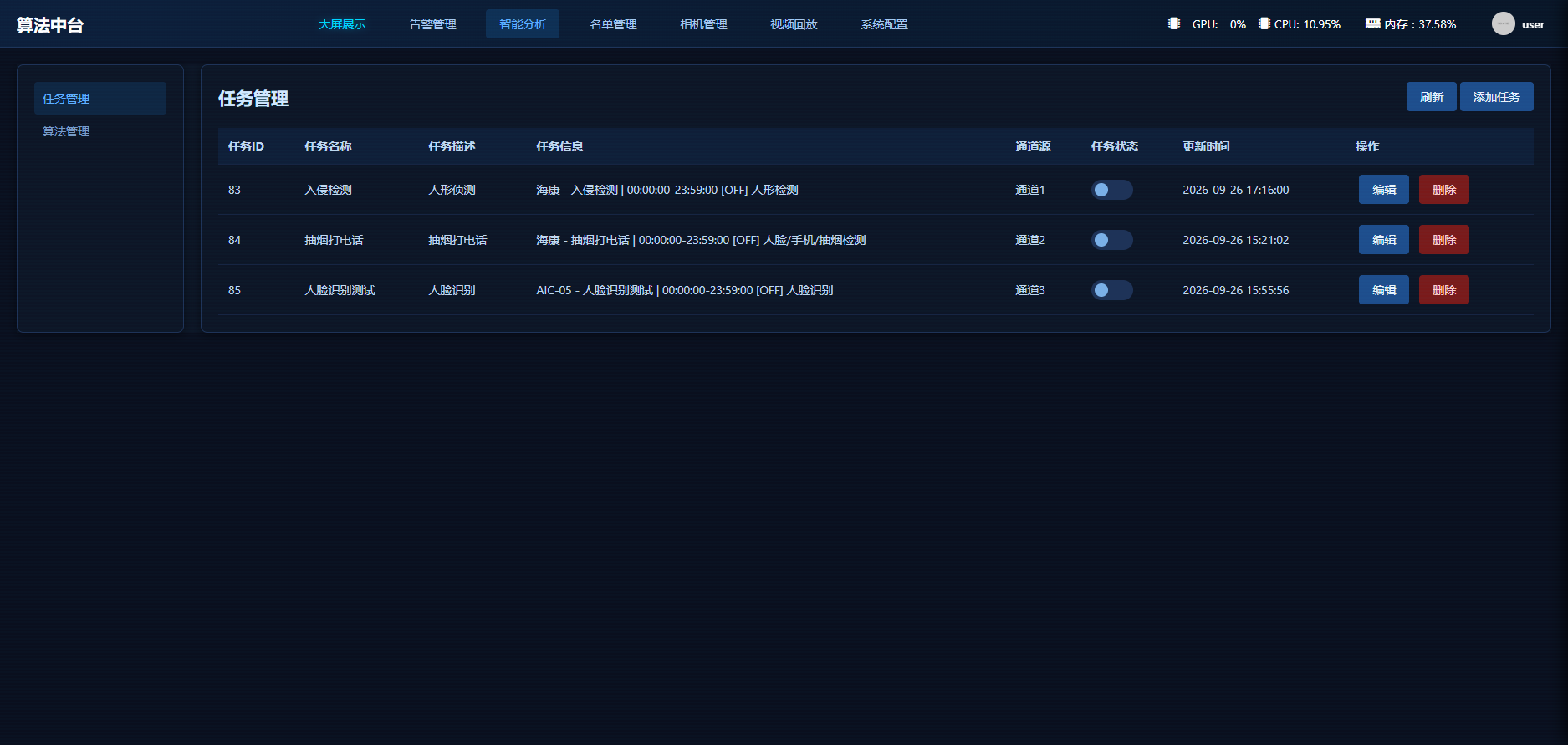
Click Add Task (“添加任务”) at the upper right to open the task settings.
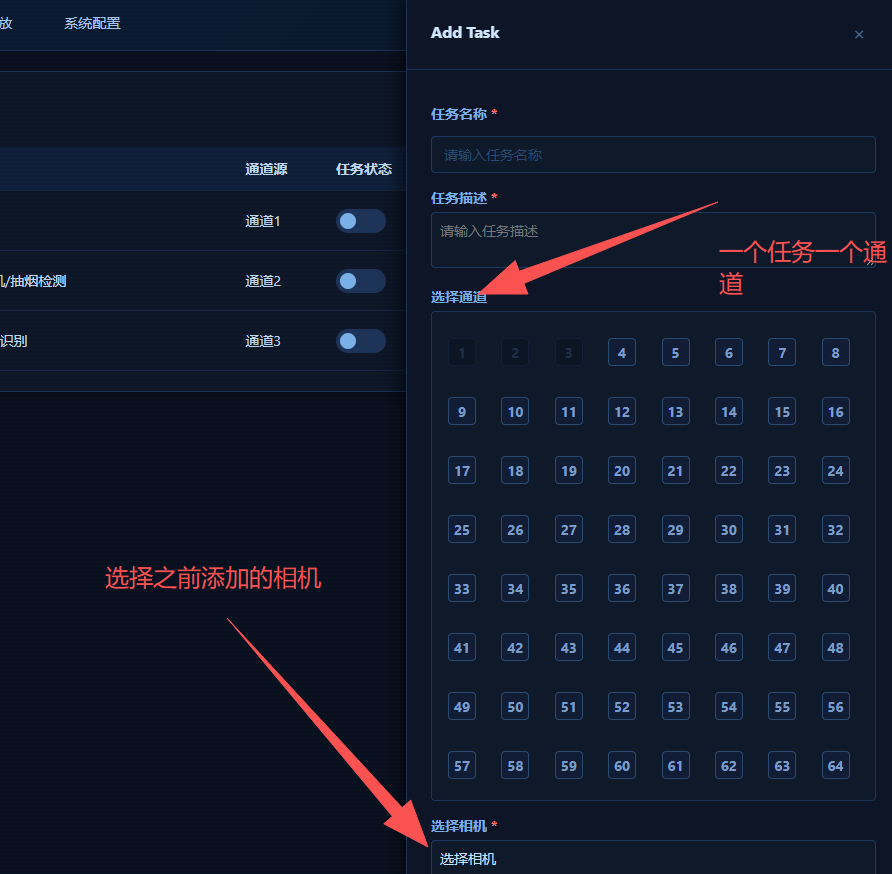
Then choose the algorithm and set the detection interval:
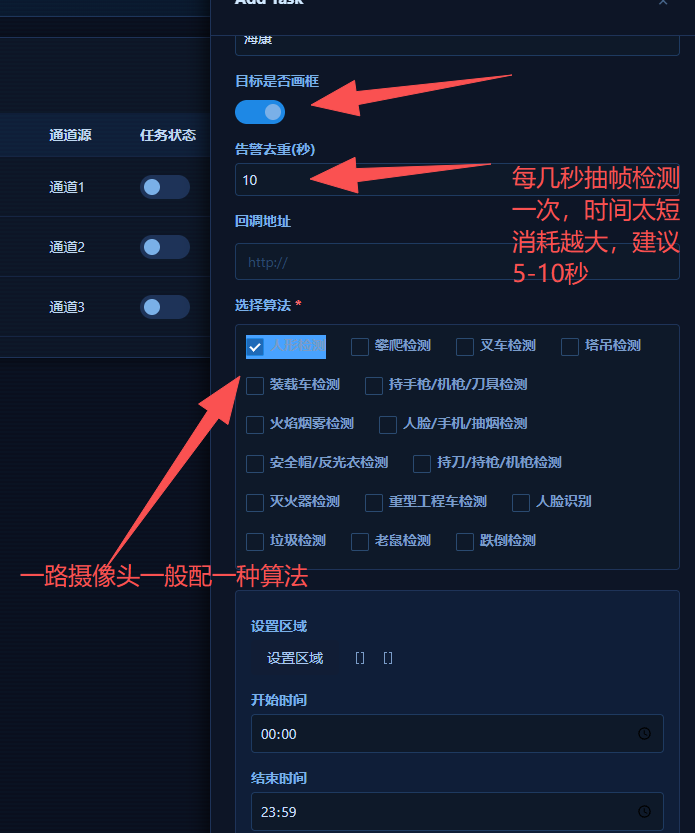
Set the detection region and the threshold:
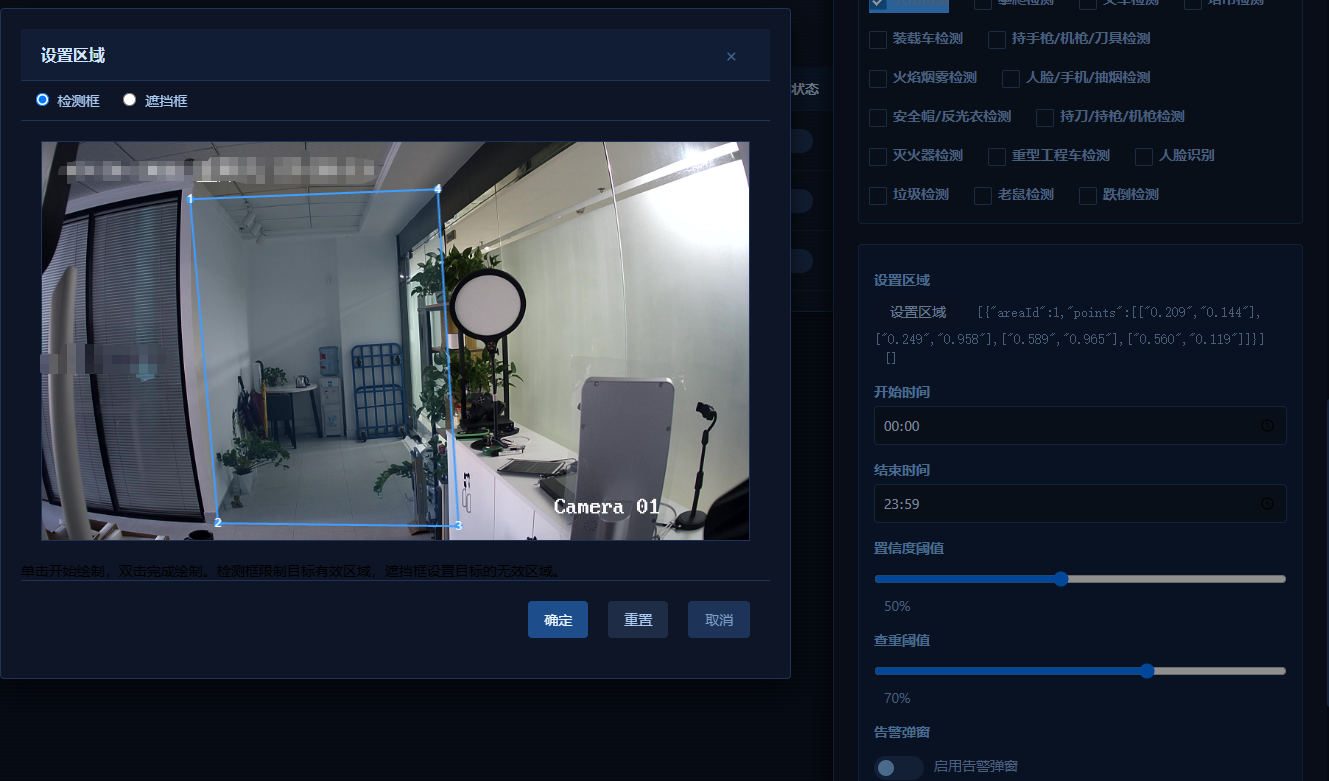
Set a detection region for intrusion, or for detection inside a particular area. Polygon regions are supported. Leave the threshold at its default; changing it is not recommended.
Set the hours when detection is active:
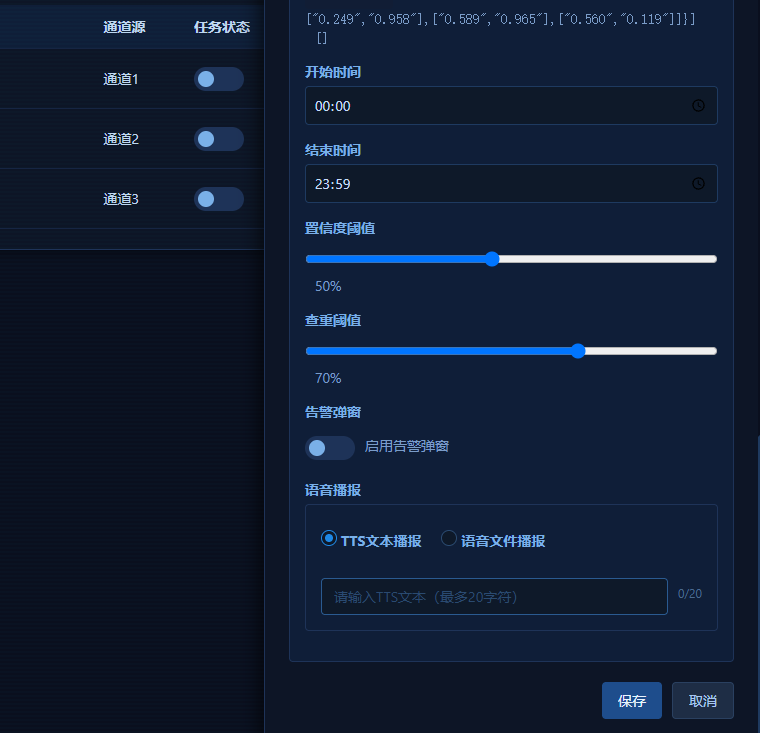
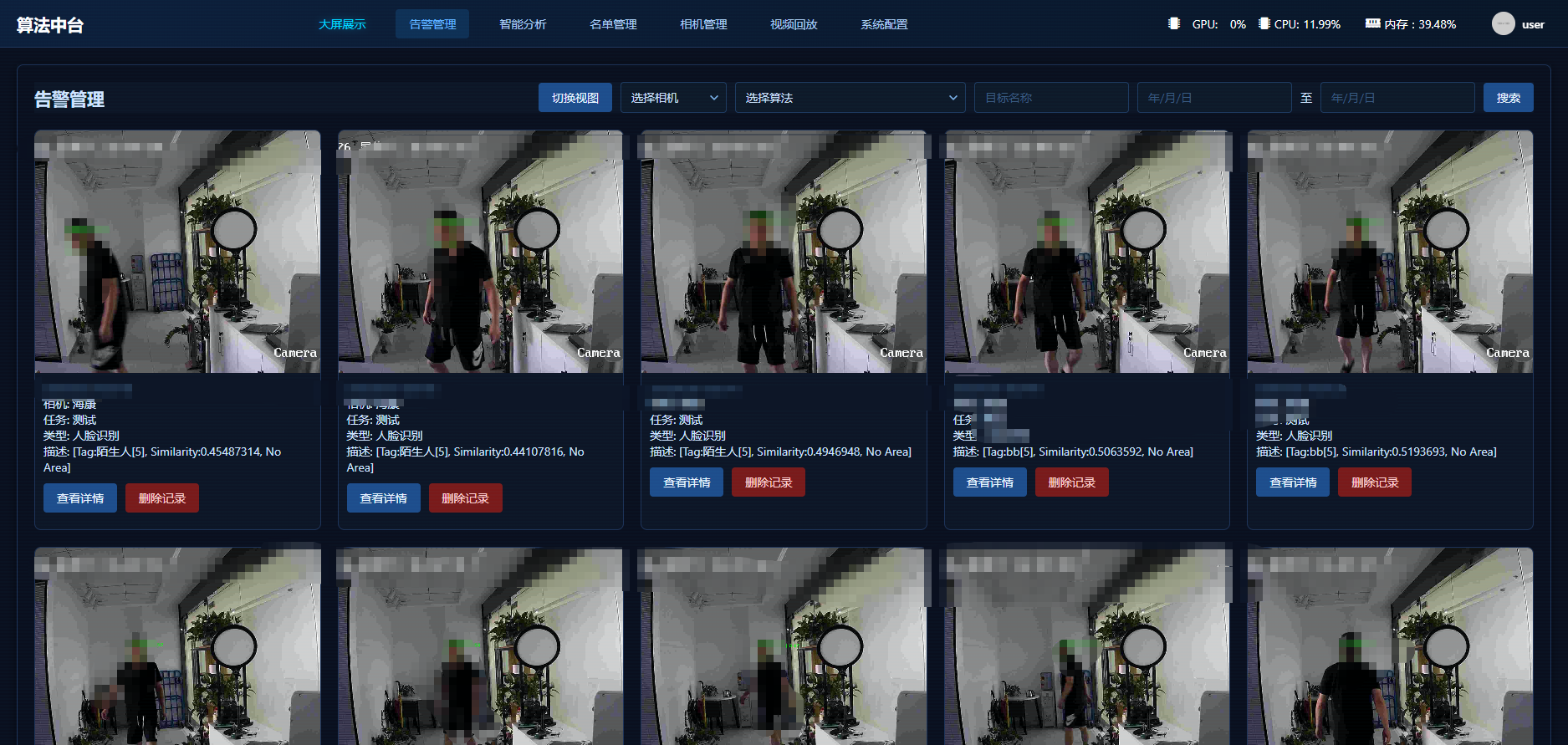
3. Alarm management
Detection results appear live under Alarm Management (“告警管理”):
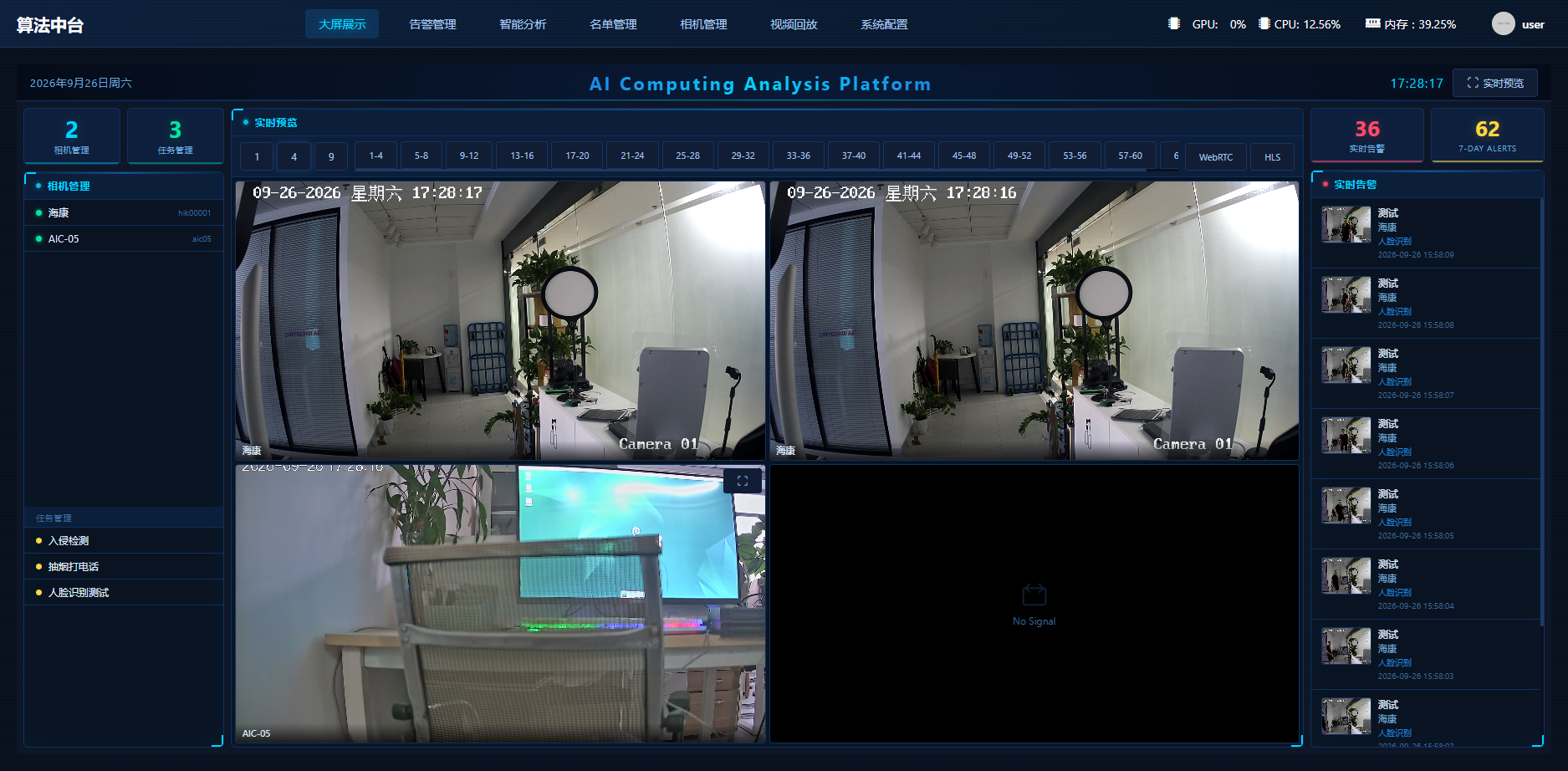
4. Live wall
The wall shows the current tasks, the camera video for those tasks, and the alarms. Click Live Preview (“实时预览”) at the upper right for a full-screen view.
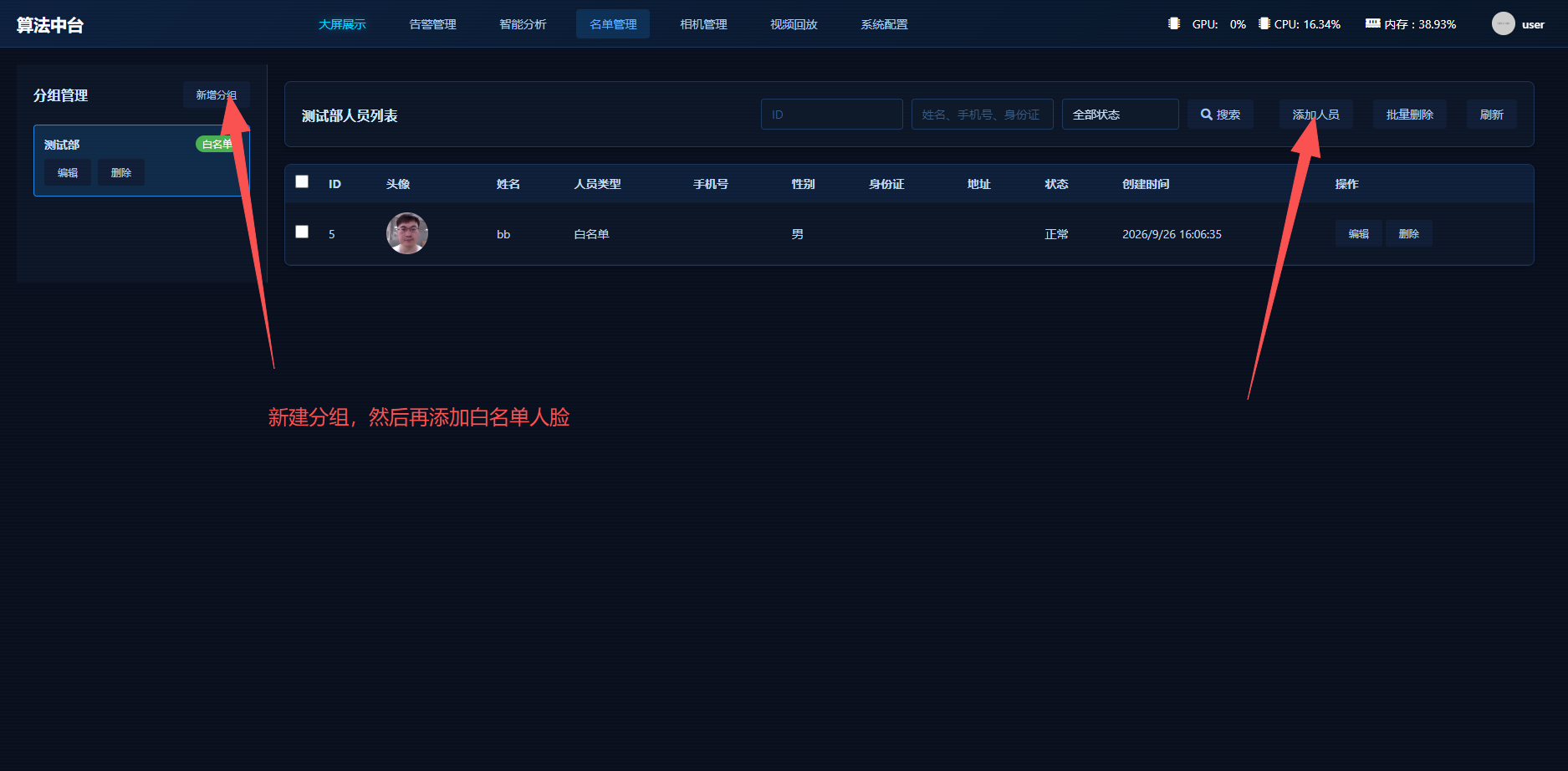
5. People
To use face recognition, add faces under People (“人员管理”) first. Matches are shown under Alarm Management (“告警管理”). They can also be pushed to a third-party platform (the API has to be connected).
6. Other settings
Push settings:
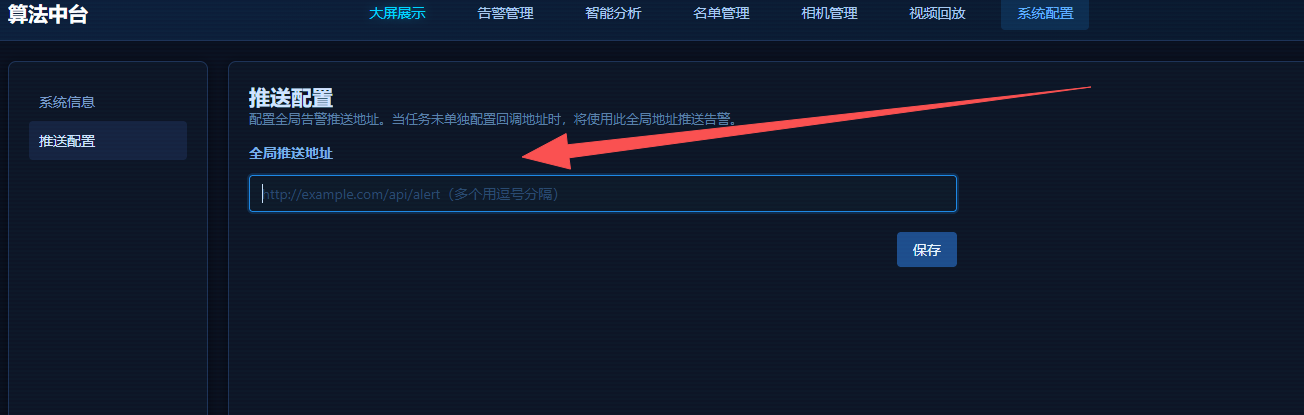
After the API is connected, set the endpoint address here.
Questions
Does the AI video analytics edge box support GB/T 28181?
Yes. The AI video analytics edge box supports GB/T 28181. On the network camera, set the national-standard address to the address of the AI video analytics box.
How many analysis algorithms does each camera support?
Each camera is one video stream. A stream is generally configured with 1 or 2 algorithms.